AI Bio Generator Get a Decent Profile Bio Without the Stress
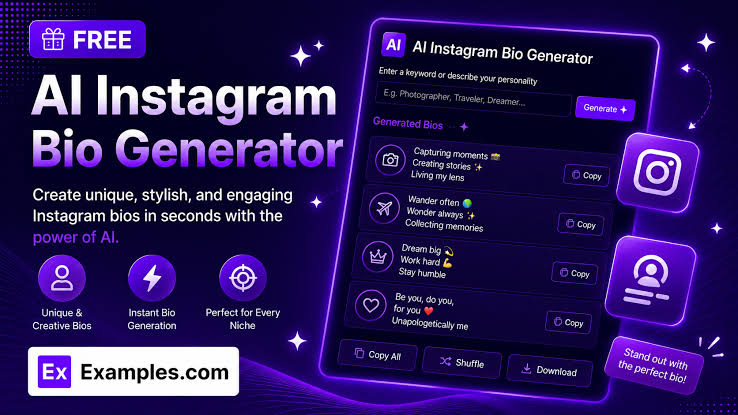
Bios are weirdly hard. You know your own life better than anyone, and still, the moment you have to squeeze it into two lines, your brain goes blank. People rewrite theirs a dozen times and end up with something worse than the first try. That’s the exact problem an AI bio generator is meant to fix. Tell it a bit about yourself, pick a tone, and you get a few options back before your tea gets cold. Picsart, Hootsuite, Quillbot, Copy.ai and others all have free versions. So let’s talk about how an AI bio generator works, what suits each platform, and the slip-ups worth dodging.
Two lines, three seconds
Here’s the deal. Someone clicks your profile, and you’ve got maybe three or four seconds. They check the photo, then the bio, then decide. Empty bio? Gone. Boring bio? Also gone. If you freelance, make content, run a small shop or you’re job hunting, those few words are doing a lot of heavy lifting.
Writing them is the annoying part, though. Some of us dump an entire resume in there. Others type one word and leave. A good AI bio generator sorts your details into something tidy and keeps it under the character limit, which saves a lot of back and forth. Hootsuite puts it nicely: a bio is your story in a few hundred characters at most.
What’s going on behind the button
It’s not complicated. Enter your name, your work, a couple of things you like, and the platform. Choose a tone, say serious, playful or laid back. Out come several versions. Vaizle gives you ten in one go, so if number one is meh, there’s number seven.
The tool is a language model that builds sentences from whatever you typed. Which means it’s only as good as your input. If you never mention you’re hilarious, an AI bio generator isn’t going to figure that out.
Plenty of these are free, and a few skip the sign-up entirely. Some cap the free tries, though, so glance at the limits.
Which tool, though?
Picsart handles social bios and resume summaries. Hootsuite covers Instagram, Threads, TikTok, X and even gaming forums. Quillbot is good for oddball stuff like an artist statement or a dating profile. Teal is all about careers, so job applications and speaker intros fit it best. Contentpen lets you keep retrying with no registration.
For regular social media, any free AI bio generator is fine. For LinkedIn or a company page I’d lean on Teal, since that tone has to sound a bit more professional. And don’t marry one tool. Try two or three and see whose version feels closest to how you actually talk.
Don’t use the same bio everywhere
Instagram: keep it short. Who are you, why follow you, done. A couple of emojis, sure. Ten in a row, no.
LinkedIn needs more. What you do, what you’re good at, what you want next. Writing in first person is perfectly normal there. X and Threads are looser, so you can be a bit cheeky.
People copy and paste one bio across every platform all the time, and it shows. Run the AI bio generator again for each one and take a different version. It takes two minutes.
Where it goes sideways
Vague input is the big one. Type “I’m a marketer” and you’ll get a vague bio. Next, folks paste the result without reading it, and sometimes the tool invents awards or degrees. Yikes. Then there’s the buzzword problem: passionate, dedicated, driven. Ignore the character limit and your bio gets chopped off mid-sentence. And most people never update theirs after it goes live.
So treat the AI bio generator like a rough draft. Read it, cut anything that isn’t true, and slip in one line only you would write.
A prompt that actually helps
Give it four things: who you are, who’ll read it, a real achievement or two, and the tone. For example: freelance graphic designer, five years in, makes logos for small brands, friendly voice. Way better than typing nothing.
Ask for three or four versions. Grab the best bits from each and mash them together. If the first batch feels stiff, just tell the tool to make it warmer or shorter. It won’t get offended. Then say your bio out loud. Trip over a line? Shorten it. This is honestly where an AI bio generator shines, since you get lots of drafts fast and your only job is picking.
Quick answers
Is an AI bio generator free?
Mostly. Lots don’t need a login, but some limit your free tries.
Will an AI-written bio hurt my profile?
Not if you edit it. Add something personal and it sounds like you.
How long should it be?
Short for Instagram and X, longer for LinkedIn and websites. Most tools handle that for you.
Can I use it for a resume or author bio?
Yes. Picsart and Teal both do.
Wrapping up
Your bio is a first impression, and it shouldn’t swallow your evening. An AI bio generator saves time and throws ideas at you, but the last call is yours. Give it real details, make a few versions, polish your favorite, and revisit it once or twice a year. Honestly, the best bio is the one that sounds like a real person wrote it, because a real person did.